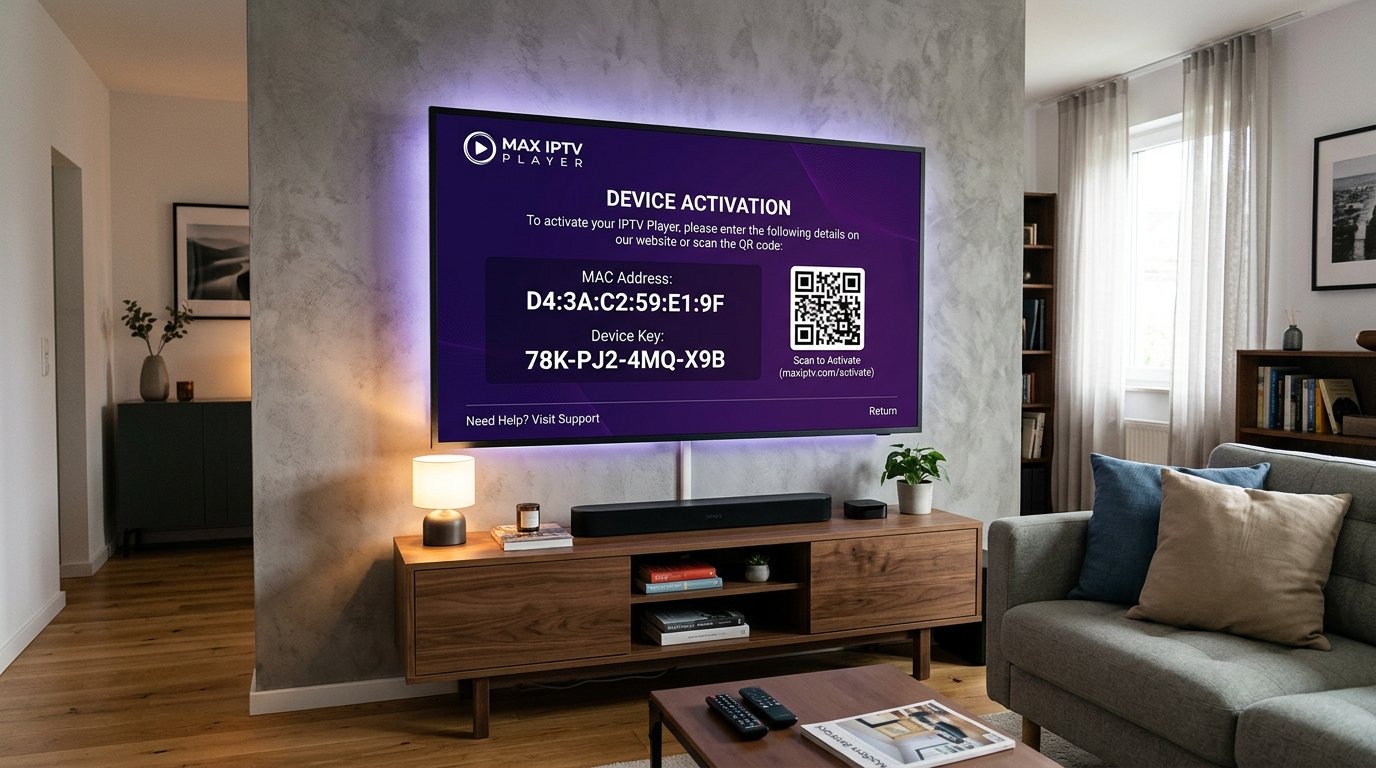
For owners of Samsung and LG Smart TVs, IBO Player has rapidly become the premier IPTV application worldwide. Built with lightweight C++ and HTML5 codebases tailored specifically for TV system hardware, IBO Player eliminates the sluggishness and memory leaks commonly found in older apps like Smart IPTV. It delivers fluid 4K 60FPS playback, lightning-fast EPG loading, and a clean purple-and-dark-violet aesthetic.
In this 2026 guide, we walk you through finding your Device MAC and Device Key, managing your playlists on the official cloud portal, and activating your lifetime license for uninterrupted entertainment.
Step 1: Installing IBO Player on Your Smart TV
IBO Player is officially certified and available directly in manufacturer app stores:
- On Samsung Smart TV: Open Samsung Apps → search "IBO Player" → click Install.
- On LG Smart TV: Open LG Content Store → search "IBO Player" → click Install.
- On Fire TV & Android: Search in the Amazon Appstore or Google Play Store.
Step 2: Locating Your Device MAC & Device Key
Launch IBO Player after installation. On the welcome screen, you will immediately see your device identification card:
Device MAC:
D4:3A:C2:59:E1:9FDevice Key:
78K-PJ2-4MQ-X9B
Keep this screen visible or snap a quick photo on your phone. You will use these two values to authenticate your TV on the web.
Step 3: Uploading Your Eternal iptv Playlist
- On your phone or computer, open your browser and visit: iboplayer.com/device/login.
- Type your Device MAC and Device Key in the login boxes → click Log In.
- Inside your device dashboard, click "Add XC Playlist".
- Fill out your Eternal iptv credentials:
- Playlist Name:
Eternal iptv 4K - Username: Your subscriber username
- Password: Your subscriber password
- Server URL:
http://line.eternal-iptv.shop:8080
- Playlist Name:
- Click Save.
- Return to your TV, press the Back button or select Reload on screen. Your full lineup of 52,500+ live channels and VOD will load instantly!
Step 4: Activating the IBO Player Lifetime License
IBO Player grants every new user a generous 7-day free trial upon first installation. Once your trial ends, a prompt will appear asking to activate the app.
The one-time lifetime license costs approximately $8.00 USD (or €8.00). You can pay securely via credit card, PayPal, or Google Pay directly on iboplayer.com/device/activation. Once paid, the license is permanently attached to your TV's MAC address, guaranteeing lifetime updates and ad-free streaming.
IBO Player Audio Track & Subtitle Sync
During movie playback, press the Yellow button on your remote to cycle between Dolby Digital audio languages, or the Blue button to toggle live subtitles. IBO Player automatically synchronizes external SRT subtitle tracks with zero playback lag.
Ready to Stream 52,500+ Live Channels with Zero Buffering?
Experience Eternal iptv's dedicated NovaCast Ultra™ infrastructure. Get instant access to ultra-HD sports, 4K movies, and 24/7 technical customer support.